?
Frequently Asked Questions (FAQ)
Have Questions?
Find quick answers to the most common questions about sahadat Portal (Apex Wallet Solution), our services, account, wallet, charges and more.

General Questions
A.
Apex Pan Service (Apex Wallet Solution) is a trusted and secure digital platform that provides PAN card related services including New PAN, PAN Correction (CSF), e-PAN download, PAN status tracking and other digital services like recharge, bill payment, wallet and coupons.
A.
You can easily register by clicking on the “Register” button at the top header, filling in your name, mobile number, email, and password. Verification is completed instantly via mobile OTP.
A.
For paperless E-KYC PAN, only your valid Aadhaar Card with active mobile linking is required. For manual applications, Proof of Identity, Address, and DOB are required.
A.
Standard service charge starts from ₹50 per successful transaction for New PAN and Correction. Detailed tier pricing is listed in the Charges & Commission tab.
A.
You can load wallet balance 24x7 using UPI QR code, Google Pay, PhonePe, Paytm, Net Banking, or Debit Cards with zero deposit fee.
A.
The minimum recharge amount is ₹100.
A.
Visit the 'Track Application' section and enter your 15-digit acknowledgement number for live NSDL/UTI status updates.
A.
You can reach our dedicated support team via WhatsApp instant chat, call 8653368033, or email test@gmail.com.
Account & Registration
A.
You can easily register on Apex Pan Service by clicking on the “Register” button on the website. Fill in your details (Name, Mobile Number, Email, Password) and submit. After successful registration, your account will be created and you can login to start using our services.
A.
Yes! Account registration is completely free. You only pay for the individual PAN applications and wallet recharges you perform.
A.
You require an active Indian mobile number for OTP confirmation, an active email address, and Aadhaar card details for KYC verification.
A.
Yes, you can enter your partner/distributor referral code during signup to unlock welcome bonus credits and retailer tier commissions.
A.
Please verify your mobile network coverage. Wait 30 seconds and click 'Resend OTP'. If issue persists, contact our support team on WhatsApp.
A.
Only one account per Aadhaar and mobile number is permitted to ensure regulatory compliance and secure wallet operations.
A.
Click on the 'Forgot Password' link on the login page, submit your username or mobile number, and enter the OTP to set a new password.
A.
Login to your dashboard and navigate to 'Profile' settings. For security reasons, Aadhaar and PAN update requests require KYC admin verification.
PAN Card Services
A.
We provide a complete range of PAN services, including:
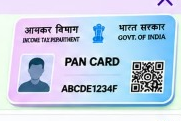
New PAN Application (Individual)
PAN Application Status Tracking
PAN Correction / Update (CSF)
PAN Find & Details
e-PAN Download
Auto PAN 2.0 (New PAN & CSF PAN)
A.
New PAN is Form 49A for applicants who do not currently possess a Permanent Account Number. CSF PAN is the correction/change request form for existing PAN holders wishing to modify personal details, photo, or address.
A.
For digital E-KYC: Only Aadhaar is needed. For physical applications: Identity proof, address proof, and date of birth proof are mandatory.
A.
Enter your 15-digit acknowledgement number in our live tracker tool to see current dispatch status and e-PAN issuance.
A.
Once your PAN is generated, you can download the password-protected digital PDF e-PAN instantly using your Date of Birth (DDMMYYYY) as password.
A.
Yes, submit a CSF PAN application with appropriate documentary proof for the corrections required.
A.
Auto PAN 2.0 is our ultra-fast automated pipeline connecting directly to authorized government servers, delivering receipts and e-PAN approvals within record turnaround times.
Wallet & Payments
A.
You can add money to your wallet using our available payment options:

UPI
Credit / Debit Card
Net Banking
Wallet (Paytm, PhonePe, etc.)
A.
The minimum amount to top up your wallet is ₹100.
A.
No, UPI QR code and Net Banking recharges are 100% free with zero convenience fees.
A.
Your live wallet balance is prominently displayed at the top right of your portal header and in the main user dashboard summary widget.
A.
The passbook is an itemized ledger detailing every credit, debit, service charge, and commission earning along with UTR numbers and transaction dates.
A.
Yes, verified distributors and retailers can transfer balance to downline users seamlessly through the Transfer User ID module.
A.
Simply enter your 12-digit bank UTR reference number into the 'Verify Payment' tool, or contact WhatsApp support with your payment receipt.
A.
Yes, our payment system is protected with 256-bit SSL encryption, PCI-DSS certified payment processors, and two-factor authentication (2FA).
Charges & Commission
A.
The service charges for PAN related services on Apex Pan Service are as follows:
| Service / Transaction | Service Charge (₹) |
|---|---|
| New PAN (E-KYC / Auto PAN 2.0) | ₹50 Per Successful Transaction |
| CSF PAN (Correction / Update) | ₹50 Per Successful Transaction |
| PAN Find (PAN Details / Search) | ₹50 Per Successful Transaction |
| Invalid PAN (Not Found / Not Valid) | ₹15 Per Transaction |
Commission / Earnings
- Earn attractive commission on every successful PAN transaction.
- Commission is credited automatically to your wallet.
- You can check your commission details in the Commission Payout section.
A.
Commission is calculated per successful transaction according to your account tier (Retailer, Distributor, Super Distributor). Higher tiers enjoy maximum payout rates.
A.
Commission is credited in real-time instantly upon the successful approval and generation of each PAN application.
A.
Yes, view the dedicated Commission Report in your portal dashboard to monitor daily, monthly, and lifetime earnings.
A.
Yes, all listed service rates are 100% transparent and inclusive of all applicable statutory charges.
A.
Our rates remain standard and highly competitive. Any official revision from government authorities is announced in advance under Latest Updates.
KYC & Verification
A.
As per UIDAI and Income Tax regulations, identity verification ensures user authenticity and protects your digital wallet balance.
A.
Valid Aadhaar Card front and back, PAN Card, and a clear live photograph or selfie.
A.
Online Aadhaar OTP e-KYC is approved instantly in real-time. Manual document reviews take approximately 15 minutes during business hours.
Support & Contact
A.
Our online portal and automated processing operate 24x7. Helpdesk agents are available on WhatsApp and phone daily from 9:00 AM to 9:00 PM.
A.
Login to your account and click 'Support > Add Complaint'. Provide the transaction ID and issue description. Our support team typically responds within 30 minutes.